
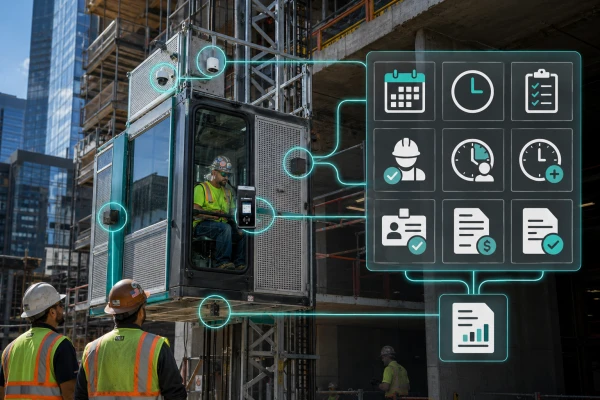
Why a connected equipment log matters
A construction schedule says when a machine should be needed. A purchase order says what was requested. Neither tells a general contractor, at a glance, whether equipment is on site, ready for the planned work, approaching an off-rent date, or waiting on a decision. A connected jobsite equipment log brings those facts together so the field and office can work from the same current picture.
This does not require an elaborate software rollout. The useful starting point is one controlled record for each piece of equipment, linked to the project schedule and updated by named people. VinVu helps GCs organize that coordination across construction hoists, telehandlers, forklifts, aerial lifts, mast climbers, and other temporary access needs.
Build the record around decisions
For each asset, record the project identifier, equipment type and configuration requested, vendor contact, expected delivery, actual arrival, planned use window, responsible trade or site contact, and target return date. Add the location, status, and next action. A short status vocabulary—requested, confirmed, delivered, in service, paused, and off rent—makes reports easier to read than free-form notes.
Keep the procurement record separate from technical approvals. A log can show that a required inspection or document is pending, who owns it, and where the record is stored. It should not label equipment safe for use merely because someone changed a spreadsheet cell. The responsible employer, qualified specialist, and equipment provider must make and document the applicable technical determinations.
Connect equipment dates to the look-ahead
Review the next several weeks of work and ask what each phase actually needs. Which deliveries require a telehandler? When does a façade crew need vertical access? Will a hoist landing change as additional floors open? Those questions turn a static rental list into an equipment forecast.
Set alerts for decision dates, not just delivery dates. A return may depend on a completed trade activity, an alternate access route, or a change in the sequence. Give the superintendent or project manager enough lead time to confirm whether to extend, exchange, relocate, or release equipment. Record the decision and the person who approved it. If the plan changes, update both the equipment log and the schedule so they do not drift apart.
Use field updates without losing accountability
A QR code, mobile form, or shared dashboard can make it easier for field teams to report a delivery, location change, downtime event, or upcoming need. The technology is useful when the update reaches the person who can act on it. Define who enters information, who verifies it, and when an unresolved item escalates to the GC.
A simple weekly report can show equipment currently on site, upcoming arrivals and removals, pending decisions, and items awaiting documentation. Include the last update time. If a status is unverified, say so. That distinction helps a project team avoid treating a forecast as a confirmed vendor commitment. Availability, configuration, and lead time must be checked for each project before the plan is finalized.
Keep inspections with the responsible parties
OSHA's construction safety rules call for frequent and regular inspections of jobsites, materials, and equipment by competent persons designated by employers. OSHA also sets specific inspection and testing requirements for personnel hoists, including testing before service and after major alteration and at intervals no longer than three months. A digital log can make due dates and record locations visible, but it does not perform those inspections or replace the certification record.
Assign each requirement to the employer or specialist responsible for it. Record the document received and the date rather than making a broad “compliant” claim in a general project dashboard. Equipment type, configuration, jurisdiction, contract terms, and site conditions determine the exact readiness steps.
Protect the information you collect
A shared equipment log may contain drawings, contacts, site access details, and commercial terms. Limit access by role, use multi-factor authentication where available, and back up the data. NIST recommends these basic practices for small organizations. Keep a process for correcting entries and preserving the history of important schedule or cost decisions.
The goal is an auditable coordination trail that helps the team act sooner. Technology should clarify who owns the next step, not hide a missing decision behind a green dashboard icon.
Bring VinVu into the project review
VinVu is a woman-owned construction equipment and jobsite logistics coordinator and an IUOE Local 542 signatory. We help GCs connect equipment forecasting, sourcing coordination, union operator planning, and field reporting. VinVu does not own a rental catalog, install equipment, or perform licensed engineering; vendors and qualified specialists retain their own scopes, and equipment suppliers can contract and bill the GC directly.
Start with a project review at /project-review/. Share your drawings, schedule, and current equipment list so VinVu can help identify the next coordination decisions. Email swt@vinvu.net or call 215.510.6587.
Bring VinVu into the planning conversation.
Send your project location, schedule, and preliminary requirements. Let’s define the next steps.
Request a project reviewReferences
OSHA: 29 CFR 1926.20 — General safety and health provisions ↗
OSHA: 29 CFR 1926.552 — Material hoists, personnel hoists, and elevators ↗